

Companies spend a great deal of time and money taking their SAP systems live. Beyond license fees, most of that spend goes into adapting the SAP system to company needs, or adapting the company to SAP's processes. Although many companies have SAP systems in place, that does not mean the work ends there.
SAP provides the standard processes an organization needs to run its operations in areas such as Inventory Management, Financial Management, Order Management, Purchasing, and Production. All of these standard processes can be used as they are or, as in most SAP projects, customized to company needs during implementation. In the face of rapid and unprecedented changes in markets and business environments, SAP systems must be revised and updated regularly to keep pace with current needs. Constantly changing market conditions and ways of doing business force the SAP system to change as well. However, because changing the system is costly and slow, these new needs are usually addressed with other systems. Very often, people try to track them in email and Excel.
Flexibility and quick adaptation to change may not be met by the existing SAP investment. Changes to SAP are made by people with programming knowledge, meaning either the company's IT department or outsourced experts. Both options can be very expensive, and they can increase your IT department's workload and keep it from focusing on more important tasks. Because of workload and cost, processes in SAP are often left unchanged. There are two ways to make the SAP system keep up with company needs:
- You can modify the SAP system to meet functionality requirements. This means changing or customizing SAP using ABAP program code. This strategy can be very expensive and time-consuming when it comes to keeping the system compatible with future SAP versions, just as in the migration from the R3 platform to S4 HANA.
- You can build add-ons to the SAP system for your specific needs. New developments may not fully meet the requirements, which leads to the same problems in the SAP system itself.
The PaperWork platform offers an alternative that provides cost and time advantages for developing process applications integrated with SAP. The platform makes decision-making easier and simplifies compliance with legal requirements.
Five Forms of Process Integration
- Upstream processes
- Downstream processes
- Supporting processes
- External processes
- Embedded processes
Upstream Processes
Processes start outside the SAP system, in the PaperWork environment. At a certain point or at the end of the process, the data collected by PaperWork is transferred to the SAP system. These processes are typically used by users or customers without SAP access to collect and validate data outside the SAP system.
With its ready-made SAP connector, PaperWork exchanges data with your SAP system without writing code. Data collected on the PaperWork platform is transferred to your SAP system through the connector. Because PaperWork integrates with SAP through BAPIs, the integration is not affected by changes made on the SAP side. The process and form design tools provide flexibility to build and change data collection, validation, and approval processes without writing code.
Downstream processes
These are workflows that start in the SAP system, where process data is transferred to PaperWork at a certain point. Similarly, users without SAP access take part in the process.
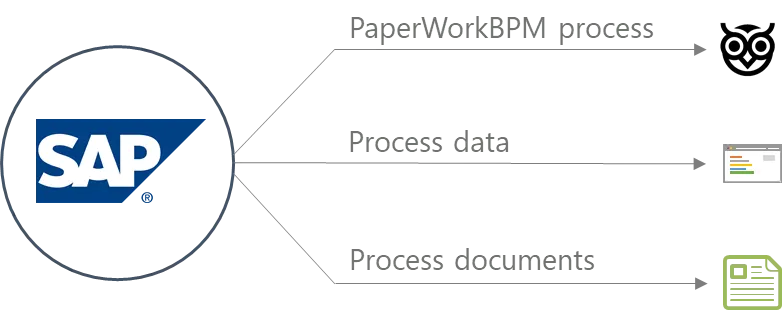
Supporting Processes
Supporting processes are workflows that support the main SAP process by collecting data from users who are not SAP users. Supporting processes can also be new processes not implemented in SAP that complement an existing SAP process. At a predefined stage of the process, PaperWork retrieves data from SAP and runs the supporting workflow. PaperWork then transfers the process data and documents back to the main SAP process.
The PaperWork SAP connector lets users run queries against SAP for data consistency through PaperWork's simple, easy-to-use interface. Data fields and tables in PaperWork forms are populated with SAP data through the SAP connector. All process data is sent back to SAP through the connector for further processing, without requiring any programming skills. This way, data collected by PaperWork also becomes available to SAP users in real time.
External Processes
External processes run independently outside SAP from start to finish. However, data is read from or written to SAP when needed. External processes usually replace a standard SAP process, or extend SAP by starting a new process without compromising the data integrity of the SAP system.
Thanks to the SAP connector, users can directly query, create, or update SAP records from within PaperWork forms. Users can interact with any SAP module from any part of the PaperWork platform, without any coding skills.
Internal Processes
Internal processes are PaperWork processes run within the SAP system. Like external processes, internal processes are essentially designed and run on the PaperWork platform. SAP users take part in the process from the SAP user interface with their own SAP user IDs, without any additional authentication. These processes require strong integration between the PaperWork and SAP systems.
The process integration types above can also be combined to meet business needs. For example, a process can be started for data collection, validation, and approval and then transferred to the SAP system, and a supporting process can be triggered at a certain point of an SAP process to complete it.
PaperWork SAP Integration
IT departments are always under pressure to achieve more with fewer resources. New ways must be found to strengthen existing infrastructure. PaperWork enables organizations to create process-based applications in days to weeks, without any coding skills. This helps organizations improve their business operations. As a digital process automation platform, PaperWork creates a digital layer around the SAP application for building and extending solutions. It eliminates the need to customize SAP.
PaperWork integrates with your SAP system through its ready-made connector and modules. The SAP connector lets you exchange data and run transactions with your SAP system without any coding skills. Through PaperWork, the connector lets business users directly query, create, and update SAP records.
Users can get the data they need from SAP without switching applications and reach their work instantly from any web browser or mobile device. Data and documents related to business processes are accessible to both SAP and non-SAP users through a modern, easy-to-use interface.
SAP Connector
The PaperWork platform helps organizations create process- and document-oriented applications easily, quickly, and cost-effectively. With visual design tools and no-code integrations, PaperWork reduces the burden on IT teams and lets them easily design and change processes.
The SAP connector makes it possible to query, create, and update SAP records directly. It provides two-way data exchange by visually mapping fields between data in BAPIs and Z functions and data in PaperWork. Integration with the SAP system is configured through a graphical user interface, without any coding skills. The advantage of communicating through BAPIs is that integrations take place at the business level and data integrity is preserved by SAP.
Features
- No-code: SAP integration is configured without programming, by visually mapping fields for SAP inputs and outputs.
- Robust: The SAP connector can be set up to notify the relevant people when an error occurs.
- Secure: The SAP connector authenticates directly with an authorized SAP user, without using a web service.
- Flexible: The SAP connector can connect to test, dev, and prod SAP environments at the same time.
Benefits
- Maximize and extend your existing technology to get the most out of your SAP investment.
- Build powerful process applications using the visual process designer and form builder.
- Speed up process application development and adapt a new process within days or weeks.
- Integrate PaperWork with SAP easily and securely, and run SAP BAPI commands directly from PaperWork.
- Read data from SAP and write or update data in SAP whenever needed.
Document Management Running Inside SAP (SAP ECM UI)
PaperWork offers a secure document management and process automation platform that integrates seamlessly with SAP systems and meets the highest enterprise requirements. With the PaperWork platform, organizations can improve their operations by eliminating manual task and document handling and the human errors that come with it. SAP ECM UI is PaperWork's document management module that runs inside SAP.
PaperWork SAP ECM UI lets users with and without SAP access reach process documents such as invoices, purchase orders, and contracts directly from SAP transactions and records. PaperWork's document management stores documents in its own archive and reduces the size of the SAP database. It makes managing SAP databases easier, for example updates, maintenance, and backups.
Features
- Easy access: SAP users reach documents stored in PaperWork from within the relevant SAP function.
- 365 degrees : Links transactional data in SAP to related documents outside the system, such as vendor invoices or contracts.
- Collaboration: SAP users upload, scan, search, view, edit, annotate, and discuss documents in the SAP user interface, while enjoying a document management platform and functions that meet the highest enterprise requirements.
- Powerful: High-performance, low-maintenance document management that meets enterprise document management needs and can also be used in the SAP environment.
- Secure: Secure connection between the SAP and PaperWork environments, and an encrypted document archive for sensitive documents.
Benefits
- Get rid of time-consuming document searches and reach what you need instantly with a powerful search engine.
- Let employees easily reach documents in PaperWork from their preferred work environments (SAP, mobile phone, tablet, etc.).
- Streamline SAP business processes by reducing the time spent per transaction (for example in Finance, Sales, Support, etc.).
Workflow Running Inside SAP (SAP BPM UI)
Our SAP BPM UI module provides access to the workflow inbox, tasks, and attached documents through the SAP user interface. PaperWork extends SAP's functionality and makes processes designed on the PaperWork platform accessible from within SAP. SAP users can start or take part in processes designed on the PaperWork platform from within the SAP user interface. This eliminates the need to log in to different systems and be trained on them to start and run processes, while making all the capabilities of the PaperWork process platform available.
SAP users can start or take part in processes that are not part of SAP, such as expense requests, leave requests, and contract approvals, from the SAP user interface. The PaperWork workflow inbox is made accessible to SAP users within SAP. SAP users do not have to log in to other systems to review and approve tasks that are not part of SAP.
Features
- Ease of use : Extend the native SAP user experience to process management. Fully integrated with SAP menus, SAP BPM UI blends SAP data and processes with PaperWork's rich user experience and functionality.
- Secure: SAP BPM UI automatically authenticates the authorized SAP user, eliminating the need to log in to PaperWork.
Benefits
- Reduce training requirements and increase user satisfaction with PaperWork modules that run inside SAP.
- Improve productivity by eliminating the need to log in to different systems to complete tasks or start processes.
Would you like to see PaperWork in your organization?
Request a Demo

