
PaperWork for Outlook: Fast and Efficient
With PaperWork for Microsoft Outlook, you can manage your tasks directly from the email messages PaperWork sends you. This lets you handle your tasks without leaving your inbox, making your workflow management more efficient.
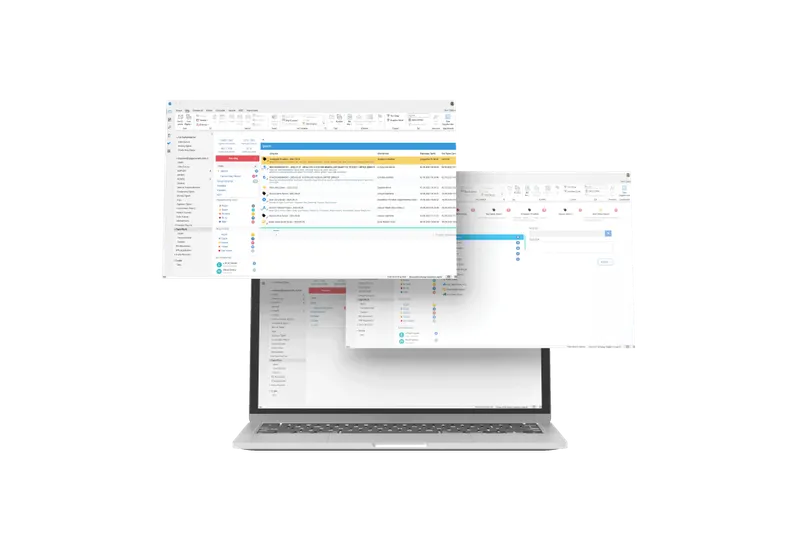
Workflow Actions by Email
Process assigned tasks right from your email. Review, approve, reroute and complete tasks with a single click of a button in the email, and turn your inbox into a task processing center!
Document Access
Access the documents attached to your tasks directly from email messages. With the PaperWork Outlook add-in, you can view, download and even share these documents with your team members right from the email.
Participation from Outside the Team
Let workflow stakeholders who aren't users take part in your business processes without signing in to PaperWork.
Move your processes to PaperWork and use them from Outlook
Unified Task Management
Manage all your business processes directly from Microsoft Outlook with a unified, streamlined interface for all your workflow needs. No need to switch between applications.
Team Performance Reporting
Monitor and control workflows with team performance reporting that offers historical and real-time insights, so you can measure productivity, identify trends and make data-driven decisions.
Document Management
All documents attached to a form are automatically sent to a central document repository, so the policies defined in your document management system apply uniformly to every form.
Process History
Track your process history directly from Outlook. With the Process History feature, you can view the entire lifecycle of your workflows, from initiation to completion, right in your Outlook interface.
Watch
Fault reporting process (mobile, Outlook and web user interfaces)
Frequently Asked Questions
What does the PaperWork Outlook add-in do?
It gives you direct access to your workflows from within Microsoft Outlook. You can complete pending approval tasks from Outlook, route emails to workflows and track performance. Email and tasks are integrated.
Can I send email attachments directly to a workflow?
Yes, you can route the attachments of an incoming email to a workflow with a single click. Attachments are automatically saved to the document management system and the related process is started. No more duplicate uploads.
Can approval processes be managed from Outlook?
Yes, you can view, approve or reject pending approval tasks from the Outlook interface. You can review task details and add comments, and your decision is sent via a link.
Does the add-in support collaboration with external stakeholders?
Yes, people outside the organization can take part in workflows by email. People who aren't PaperWork users can fill out forms and give approvals through a link.
Which Outlook versions is it compatible with?
It works with the desktop (Windows) and web (OWA) versions. It integrates seamlessly in Office 365 and Exchange Server environments and stays compatible with version updates.
Let’s Make Your Processes Smarter Together!
Let’s explore how PaperWork’s low-code BPM, document management, ERP integration and AI solutions can be used in your organization.
- 01
We find a time that suits you.
- 02
We hold an introductory meeting.
- 03
We run a demo tailored to you.