
PWSLM Supplier Lifecycle Management Software
Choose the Right Supplier, See Risks Early, Keep Improving Performance
PWSLM manages the entire supplier lifecycle, from candidacy to performance and development, on a single platform.
From candidacy to onboarding, from quote to contract, from risk to performance: every supplier process in one place.
Applications and documents are gathered in the supplier record.
Supplier, procurement, quality and legal teams each see different parts of the same company; decisions are tied to the same record.
What Does It Solve for Customers?
- Scattered processes run on email and Excel
- Missing or expired documents
- Slow supplier onboarding
- Non-standard quote evaluations
- Supplier risks spotted too late
- Supplier performance that cannot be measured
In how many places does information about a company live?
- Single company record
- A company can be both a supplier and a customer. There is no need to open a second record for different roles.
- Relationship by legal entity
- In a group structure, you select which of your companies works with that supplier; the contract and commercial view change accordingly.
- Next step without opening the record
- Tasks such as completing a document, reviewing the period scorecard or checking the basis of a risk are visible right in the list.
Supplier card
Select your company · see related records togetherContracts, scorecards and open tasks are tracked from the same company record.
What Do You Gain with PWSLM?
Faster onboarding
Better supplier selection
See risks early
Measurable performance
Less manual follow-up
Stronger supplier relationships
End-to-End Supplier Lifecycle
- 01
Supplier application and onboarding
Suppliers apply through the portal, enter their details and upload the required documents. Missing information, approvals and departmental checks are managed with workflows. - 02
Qualification and segmentation
Suppliers are evaluated and classified by criteria such as quality, capacity, financial standing, risk, compliance and strategic importance. - 03
Quote collection and evaluation
Quotes are collected through the portal; price, quality, delivery, payment terms, risk and past performance are evaluated together. - 04
Contract and document management
Contracts, approvals, e-signatures, certificates and time-limited documents are managed centrally. Automatic alerts are created for upcoming expiry dates. - 05
Risk and performance management
Suppliers are measured by criteria such as delivery, quality, SLA, response time, nonconformities and action performance. - 06
Improvement and re-evaluation
When low performance or rising risk is detected, corrective action and improvement processes start automatically.
Every stage has an owner and a next step.
The company applies on its own or is invited.
The source of the application is recorded. Similar records are checked by tax number; the user decides whether to merge.
Define a “good supplier” before you evaluate.
Number of open nonconformities
The description and weight of every scorecard indicator are on record. Past periods are stored with the rule version in effect at the time.
You can see what is behind the score.
- The scorecard shows each indicator’s score, weight, contribution and evaluator note.
- An indicator that cannot be measured is not recorded as zero; it is removed from both the earned score and the maximum possible total.
- Suppliers can view their scorecard in the portal and raise an objection if needed. The reason for any correction is recorded.
- When a measurement comes out low, an improvement action can be started from the same place.
Do not treat every supplier the same based on one score.
The cause of the risk is visible.
Financial standing, operations, quality, compliance, sustainability, cybersecurity, geopolitical impact and single-source dependency are tracked as separate dimensions. If a supplier is high risk, the dominant factor is visible too; you are not left with just a colored label.
Missing measurements are not estimated. If there is a critical compliance issue, good results in other dimensions do not mask it. Work arising from a risk can be linked to the enterprise risk register or to a corrective action.
Saying “we fixed it” does not close the record.
- 01Finding is recorded
The source and the related supplier are identified.
- 02Owner is assigned
Priority, root cause and due date are set.
- 03Supplier responds
Submits its plan and supporting evidence.
- 04Organization verifies
The work is reviewed and sent back if needed.
- 05Impact is measured
Closure is recorded with the organization’s approval.
Keep track when the work moves to the supplier.
Certain tasks, such as approvals, can also be completed via a link in an email. Actions taken in the portal and by replying to a notification are tied to the same record.
A renewal request is created for a document nearing its expiry date.
Smarter Decisions with PaperWorkAI
- Reads and classifies documents.
- Identifies missing or soon-to-expire documents.
- Compares quotes against defined criteria.
- Makes risky suppliers visible.
- Analyzes performance drops and recurring issues.
- Suggests improvement actions.
AI does not replace the decision-maker; it brings together the information needed for a decision and enables more consistent evaluations.
If a suggestion comes, its basis should come with it.
In PWSLM, AI examines the data on the screen the user is working on. It interprets risk dimensions when the user is on a risk, the period difference on a scorecard, and missing documents on an application. The response appears in three parts.
The validity period in the document record has expired. The renewal status needs to be checked.
No new document version appears in this record. Whether the document has been renewed cannot be verified here.
Request the current document from the supplier. Send the uploaded version to the relevant unit for review.
Missing data is not counted as zero; no price, capacity or completion result is invented. The final decision belongs to the user.
A Platform Solution Beyond the Portal
PWSLM is not just a portal where suppliers sign in. It is a Supplier Lifecycle Management solution running on the PaperWork Intelligent Operations Platform. As a result, it natively uses the following capabilities:

Workflow and Low-Code

Document management

Task and case management

PaperWorkAI

Business intelligence and reporting

Process analytics

ERP and enterprise system connections
Forms, processes, evaluation models, portal screens and reports can be tailored to your organization’s needs.
Supplier decisions connect to other work.
An approved supplier can be included in the quote process; the winning quote can be carried into a contract. Procurement outcomes and quality data feed the next evaluation. Services, APIs and suitable connectors can be used to exchange data with the systems your organization uses.
Quotes are compared with weighted criteria; the scorecard and risk are visible at the moment of decision.
The selected quote moves into the contract process; obligations are tracked after signing.
A quality finding can be linked to an action, and a supplier risk to the enterprise risk register.
Approved companies, orders and documents are linked with the relevant systems; versions and validity are tracked.
A single, up-to-date view of supplier management
With PWSLM, the following supplier information is managed on a single supplier profile:
- Company information
- Documents and certificates
- Quotes
- Contracts
- Risks
- Performance results
- Tasks and actions
- Evaluation history
The result is a reliable, up-to-date supplier view across the organization.
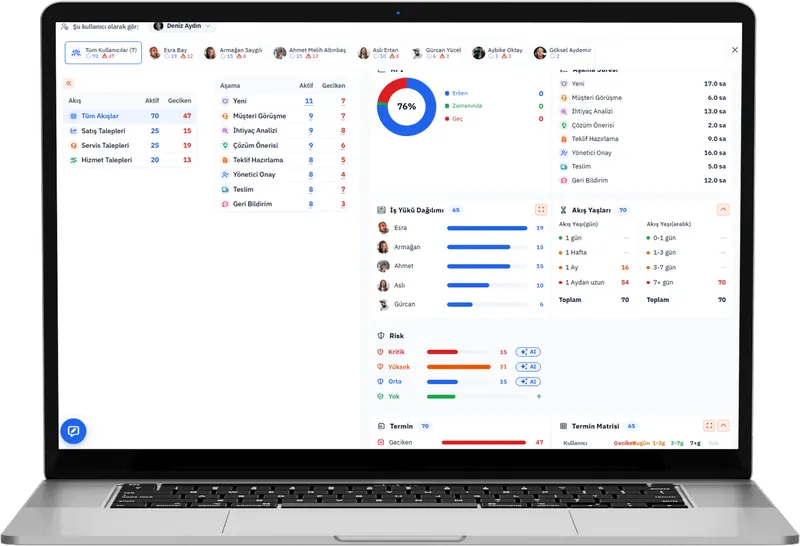
Turn supplier management into strategic value
From candidacy to performance, the entire supplier lifecycle on a single platform.
Request a Demo- 01Choose the right supplier.
- 02Onboard quickly.
- 03Monitor their risks.
- 04Measure their performance.
- 05Grow together.
Frequently Asked Questions
What is Supplier Lifecycle Management?
Supplier Lifecycle Management is the systematic management of the entire supplier relationship, starting from candidacy and onboarding through qualification, selection, contracting, risk, performance, development and, when needed, offboarding.
Is PWSLM just a supplier portal?
No. The portal is one of the channels for secure interaction with suppliers. Alongside the portal, PWSLM is an SLM solution that covers workflow, document management, quote collection, contracts, risk, performance, evaluation and AI-supported decision processes.
Can suppliers enter information into the system themselves?
Yes. Through the portal, suppliers can apply, update their company information, upload documents, submit quotes, complete their tasks and follow the actions assigned to them.
How is supplier performance measured?
A scorecard is built on criteria defined by the organization, such as delivery, quality, price, response time, SLA, nonconformities, document completion and action performance.
Can it work with our existing ERP system?
Yes. PWSLM can exchange data with the supplier master, purchase orders, deliveries, invoices and spend data in your ERP.
Where is artificial intelligence used?
It can be used for document reading and classification, missing information checks, quote comparison, risk interpretation, performance analysis, summarization and improvement suggestions.
Can the solution be adapted to our processes?
Yes. Because PWSLM runs on the PaperWork Low-Code infrastructure, forms, workflows, rules, scoring models, portal screens and reports can be tailored to your organization.
Related success stories and articles
 Success story
Gemak Gemi İnşaat starts using PWQMS for quality management
 Success story
İzmir Demir Çelik starts using PWQMS
 Success story
Ayen Enerji Chose PaperWork to Increase Operational Agility and Accelerate Digital Transformation in Its Corporate Processes
 Blog
BlogPaperWork Document Management and Content Server: Bring All Your Documents Together in One Place and Access Them from Any Application
 Blog
BlogSee Risks with PWGRC. Plan Audits Right. Drive Actions to Completion.
 Blog
BlogA New Era in Quality Management with PWQMS: Quality Now Lives in the Field, in the Process and at the Heart of Management
Let’s Make Your Processes Smarter Together!
Let’s explore how PaperWork’s low-code BPM, document management, ERP integration and AI solutions can be used in your organization.
- 01
We find a time that suits you.
- 02
We hold an introductory meeting.
- 03
We run a demo tailored to you.