
A shorter path from need to draft
The business unit writes the process it wants; AI prepares the form and workflow draft. The team can spend the time it would have spent on the first drawing on validating rules and improving the process.
Process automation runs repetitive tasks, approvals and data transfers between systems according to defined business rules. Process management covers designing, monitoring, measuring and improving these flows.
With PaperWork, manage tasks, electronic forms, documents, enterprise system transactions and AI actions in a single workflow. Define owners, approval conditions and target times, and see exactly which step the work is waiting on.
For the basics, read the workflow guide; for implementation scope and rollout steps, explore our blog.
Request opened: work moves through a traceable flow.
In most companies, many transactions move between email, Excel, messaging apps and different enterprise systems.
Nobody knows who the request is waiting on, data is entered again, approvals are delayed and the whole process cannot be seen from a single point.
A typical working day in many organizations
Ways of working that depend on individuals become measurable and sustainable corporate processes.
PaperWork is not just a classic workflow tool that passes tasks from one user to the next. It coordinates three different workforces within the same process:

Assigns task, approval, review and decision steps to users. Manages responsibilities, target times, delegations and escalations.
Pulls data from ERP, CRM, HR, finance and other applications, performs the required transactions and sends the results to the relevant systems.
Reads documents, extracts information, summarizes content, interprets risks and creates tasks or actions within the process.
People, applications and AI work together on the same workflow. Operations move from start to finish without breaking between systems.
When a new approval rule or customer request arrives, what matters is how quickly the company adapts. PaperWork BPM speeds up the first design with AI and defines who the work goes to, with which document and by which rule.
The business unit writes the process it wants; AI prepares the form and workflow draft. The team can spend the time it would have spent on the first drawing on validating rules and improving the process.
Information in the ERP and other applications is used in the process, and the approved result is passed to the relevant system. Employees move the same data between screens less often, and make fewer mistakes doing so.
Tasks, documents and target times are tracked in the same flow. Managers do not have to collect separate status reports from teams to learn about a delay.
The existing ERP stays in use. Cross-department approvals and changing business rules are organized with Low-Code tools; the need to build inside the ERP for every requirement is reduced.
To get started: Choose a process that repeats often, waits for approval and involves more than one team. Measure the gain by completion time, number of manual operations and delays, before and after go-live.
The ERP manages stock, finance and production data. But until a record is created, document checks, approvals, the views of different teams and unexpected situations come into play. When these are scattered across email chains, it becomes hard to see the whole of the work.
PaperWork BPM complements the ERP. It uses data in the existing system; it runs steps, owners and rules in the same process. It can pass the result back to the ERP. This way no separate customization in the ERP is needed for every new business requirement.
Follow a purchase request step by step. Every task, rule and system transaction is part of the same flow.
Request is received. The employee fills in the form and attaches the technical document. A request number and transaction history are created.
To see why an approval is waiting, you no longer need to check the document archive, the ERP screen and your inbox separately.
Design the form, tasks, decision points and exceptions with visual tools. The business unit describes the need; IT manages integrations and permissions.
Route by amount, role or risk level. When a rule changes, redefine how the related process should run.
Pull data from SAP and other ERP, CRM and HR applications and send results to the relevant systems. Reduce re-entry of the same information.
Manage the approved contract, invoice or technical document in Content Server together with its process and permissions; track versions and history.
Assign a task to a person or team. Track where work is stuck with target times, reminders and delay notifications.
See durations, workload and recurring delays with business intelligence and process analytics. Launch new actions for improvement.
Describe your need in natural language or give your analysis document to the PaperWork AI Assistant. The PaperWork AI Assistant creates the form fields and workflow steps from that description. The example below shows the design of a purchase request.
The details in your description become form fields.
Form draft ready
Steps and conditions are derived from the same description.
Highlighted path: a 75,000 TL request is approved and sent to the ERP. A rejected request returns to the form for correction.
The draft is edited, tested and put into production with PaperWork Low-Code tools. The speed of AI generation meets the control of a Low-Code platform, making it easier to build new processes and adapt existing ones to changing needs.
Shorter processing times and less waiting.
Standard, measurable and sustainable processes.
Less manual work and a lower error rate.
Central access, strong traceability and corporate memory.
Faster adaptation to changing needs.
Better decisions and continuous improvement.
All data generated by workflows can be tracked with PaperWork Business Intelligence and Process Analytics tools.
Process automation stops being a one-off digitization project and becomes a continuously evolving approach to operations management.
PaperWork’s process radar makes waits and deviations from targets visible. With process analytics and business intelligence built into the platform, managers see what needs attention without waiting for a report.
Which approval is piling up work, and which steps keep repeating? Process analytics tracks bottlenecks and due date risks. With AI-assisted analysis and suggestions, you can identify areas for improvement, launch tasks and measure the results.
Explore nowBusiness intelligence and reportingMonitor pending work, team workloads and target times on the same dashboard. Because form and workflow data are reported directly, there is less need to merge Excel sheets, and you can support busy teams in time.
Explore nowFor example: When work piles up at purchase approval, redistribute the workload, then track on the same platform whether waiting time goes down.
PaperWork BPM runs on the same user, permission, document and integration infrastructure as the platform’s other capabilities. Information captured in one request can be reused in the next step of the work.
A request is opened. The form, attached document and related task are linked to the same process.
PWQMS, PWCLM, PWGRC and other ready-made solutions also run on this shared platform. PaperWork Solution Universe
The points where work is handed over to another team, document or system are good places to start with BPM.
Invoice, expense, payment, budget, advance, purchase request and supplier approvals.
Leave, recruitment, onboarding, employee requests, access, incident, change and support processes.
Nonconformity, CAPA, audit, risk, contract, document approval and change management.
Customer requests, complaints, service, returns, maintenance, faults, inspections and field reports.
Bring work that moves between email, Excel and disconnected applications together in a single process.
With PaperWork, manage tasks, documents, rules, systems and AI in the same workflow. Speed up your operations, make them visible and keep improving them.
Start with One Process. Transform Your Entire Operation.
Process automation digitally manages requests, approvals, tasks, documents, business rules and the data flow between systems. It reduces manual work, email traffic and duplicate data entry, making processes faster, measurable, traceable and auditable.
Yes. You can describe the process you want in natural language to the PaperWorkAI assistant or upload your analysis document. The AI understands the process and creates draft workflows and electronic forms. The drafts can be quickly adapted to your organization with Low-Code tools and put into production.
No. It prepares a draft form and workflow from the description of the need. Your team reviews the organization’s permission, business rule and integration requirements; the process is tested and then put into use.
Yes. PaperWork offers two-way integration with SAP and other ERP systems as well as CRM, HR, finance and industry-specific applications. Data is exchanged between systems through ready-made connectors, REST/SOAP web services, database and method connections. With the SDK, PaperWork processes can also run inside the interfaces of other applications.
No. PaperWork does not replace your ERP; it works as an agile operations layer that complements it. It combines ERP data with documents, approvals, tasks, business rules and field operations. This lets you build new processes quickly without costly ERP customizations.
No. PaperWork combines process automation, Low-Code development, electronic forms, document management, artificial intelligence, case and task management, integration, mobile use, business intelligence and process analytics on a single platform. Instead of separate applications, it uses a shared user, permission, data and technology infrastructure.
Documents are stored securely with versioning in PaperWork Content Server, linked to process and form data. Capabilities such as authorization, full-text search, document history, e-signature and KEP (registered electronic mail) are available in the same structure. With Intelivus, documents can be read and classified by AI; with ISDD, personal data can be detected and masked automatically.
Yes. With PaperWork’s integrated BI and Process Analytics capabilities, completion times, pending work, SLA breaches, team workloads and bottlenecks can be tracked in real time. Dashboards and reports enable managers to improve processes based on data and act early on delay risks.
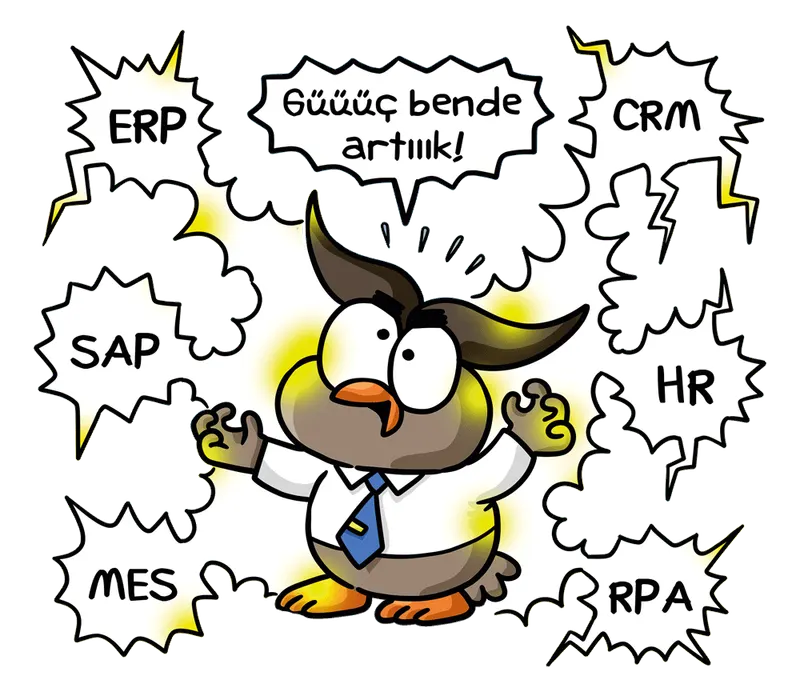
PaperWork offers seamless integration with popular business applications so you can run your business processes without interruption. Easily integrate with tools such as ERP, CRM and HR systems, and manage your workflow from a single platform.
All these integrations let you manage your business processes end to end with PaperWork.
Design your business processes without technical knowledge.
Collect the right information at the right point with forms that run on the web, on mobile, in Outlook, in SAP or inside enterprise applications.
Forms can change by user and process stage, pull data from enterprise systems and trigger different actions based on the information entered.
Publish your application in a few clicks and start using it right away.
Speed up development to reduce costs and keep software development spending to a minimum.
Prototype and test your applications quickly. Adapt them instantly to your business needs.
Complete your projects with fewer developers and use your IT resources more efficiently. Manage your workforce efficiently and free up time for other projects.





Let’s explore how PaperWork’s low-code BPM, document management, ERP integration and AI solutions can be used in your organization.
We find a time that suits you.
We hold an introductory meeting.
We run a demo tailored to you.


