

Automatic document masking means identifying the personal or sensitive fields in a document and hiding them from a given user. For example, an employee may need to review a document, but seeing the identity or contact details on it may not be part of their job. Masking is used to reduce unnecessary visibility of information while keeping the document usable.
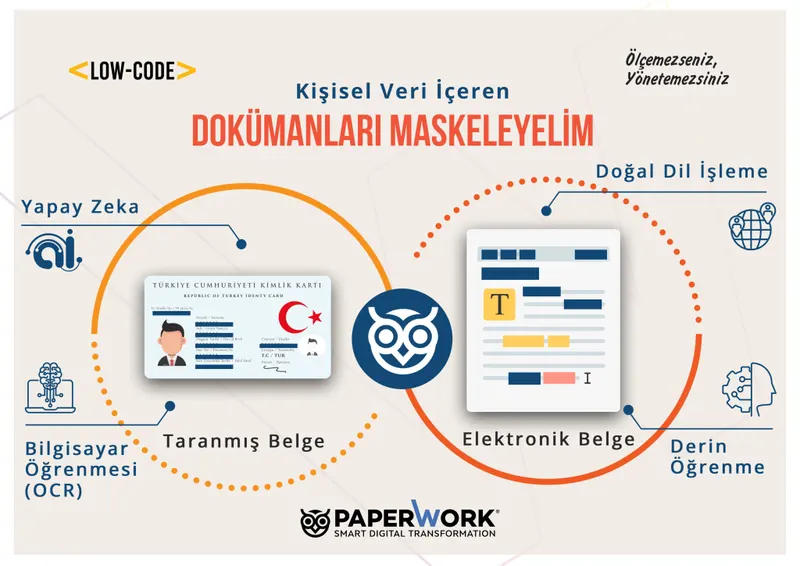
Built on PaperWorkAI, ISDD automatic document masking detects sensitive fields in electronic documents and images. Whether a document is shown masked or unmasked can be managed according to the user's authorization.
What problem does document masking solve?
Invoices, personnel files, application forms and contracts circulate across different applications. Opening an entire file to everyone can expose information that is not needed for the work. Preparing separate copies by editing files one by one, on the other hand, can create tracking and versioning problems.
In a centralized masking approach, you define which fields are sensitive and which roles can see them. This way, different teams using the same document can work with a view suited to their tasks. When connections are made to other applications the organization uses, these rules must also be applied consistently across the different access paths.
The difference between masking, anonymization and access authorization
These concepts should not be used interchangeably. Access authorization determines whether a person can reach a document or transaction. Masking limits the visibility of specific information within a document. If the original document and authorized access are preserved, presenting only a masked view does not mean the data has been anonymized.
The Turkish Personal Data Protection Authority explains anonymization as data no longer being associable with a person. That is why hiding a document on screen and anonymizing it are separate assessments. Details are available in the Authority's explanation of erasure, destruction and anonymization.
How does the process work with ISDD?
- The document is received: A PDF, scanned document, image or electronic document enters processing.
- Sensitive fields are identified: Personal data and organization-defined special terms are evaluated.
- Authorization is applied: Which information the user can see is determined by their role.
- The document is presented: The user works with a masked or unmasked view within the scope of their authorization.
- It is checked: Testing confirms that the expected masking takes place, including across different access and sharing paths.
ISDD can be used within PaperWork or to serve other enterprise applications. Supported files, custom fields and connection methods should be validated with the organization's own document samples.
Example: Sharing a human resources document
Imagine a human resources document is opened to another department for process control. The relevant user should see the date and status of the transaction, but may not need access to every personal field. The authorization model should treat the need to review the document separately from the need to see sensitive fields.
In this scenario, you first determine which fields are needed. Then you open the same document with different user roles and check the view. If paths such as downloading, printing or transferring to another application are used, their behavior is also included in the test scope. This example is an implementation design; the same field or authorization rules do not apply to every organization.
How does it support KVKK compliance?
Masking is one of the technical measures that can be used to limit unnecessary access to personal data under KVKK (Turkish Personal Data Protection Law). Using a piece of software alone does not fulfill all KVKK obligations. The purpose of processing, retention periods, access policies, employee responsibilities and other technical and administrative measures must be assessed together.
The Authority's guidance on data security obligations addresses this holistic responsibility. Masking and access rules in the application should be defined with the organization's legal and data security officers. It should not be assumed that masking eliminates all legal risks or all data breaches.
What should be checked in a pilot?
- Document variety: Use samples with different templates, scan quality, languages and file formats.
- Missed masking: Check whether any field that should be hidden remains visible.
- Unnecessary masking: Review whether any information the user needs for their work has been hidden by mistake.
- Role differences: Compare how authorized and unauthorized sample users see the same document.
- Output paths: Test each path in use separately, such as viewing, downloading, printing and access from other applications.
- Changes: Define how rules will be updated when a new document type or sensitive field is added.
- Exceptions: Define who documents requiring review are routed to and how incorrect results will be corrected.
Evaluation should not be based on processing speed alone. Missed fields that should have been hidden and unnecessarily hidden fields should be measured separately. This way, the security requirement and users' need to get their work done can be evaluated together.
Why should it be addressed together with document management?
It also matters which record the masked document belongs to, which version is used and who can access it. Centralized document management helps manage the document in this context. If separate copies exist in different applications, masking only one copy may not cover every usage path.
Frequently asked questions
Does masking delete the original document?
Masking and deletion are different operations. In ISDD's authorization-based view approach, what is managed is how the document is presented to users. Separate rules should be defined for retaining and destroying the original document.
Does every user see the same information?
The view can differ according to authorizations. That is why user and role definitions are as important as setting up the solution.
Does artificial intelligence guarantee error-free masking?
No. Testing with document samples, exception management and regular checks are required. Organization-specific fields and low-quality documents should be evaluated in particular.
Content update: PaperWork, September 6, 2026. Two articles on automatic masking and personal data protection were combined in this guide.
Related images and videos
Would you like to see PaperWork in your organization?
Request a Demo

