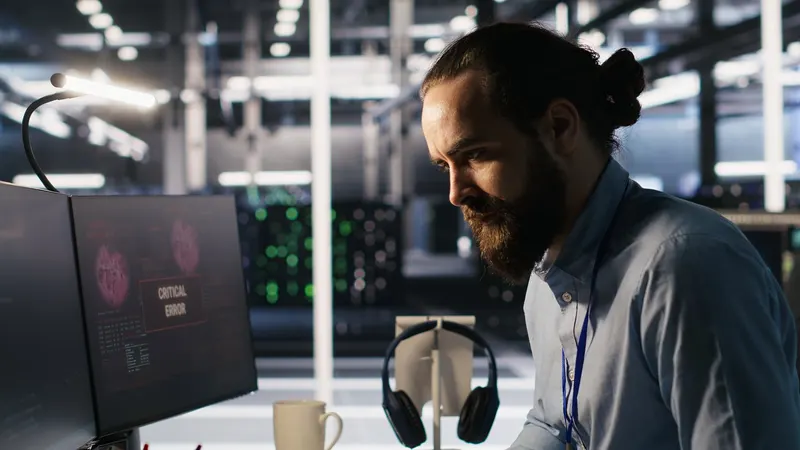
It's three in the morning. The database server has stopped responding, and nobody knows yet. At half past eight the first user will open their screen and find out, then the second, then accounting. By nine, the IT team's phone won't stop ringing.
If you have ever worked in an IT team, you know that morning. The problem is rarely technical; servers go down and get fixed. What really wears people out is hearing about the incident from users, not knowing who is looking at it, and answering the same question for ten people all day long.
In this article we want to show how PWITSM, PaperWork's IT Service and Asset Management solution, changes that picture. First, a short introduction video:
A familiar day in IT
Incidents arrive by email, requests by phone. The inventory lives in an Excel file, and nobody is sure whose computer holds the latest version. Which job is late, who has which laptop, which licence expires at the end of the month: all of it is discovered only when someone asks.
The team actually works very hard. But because the work isn't recorded, the effort stays invisible, and management can't see what is delayed or why. The same fault comes back every week, because nobody finds the time to deal with the root cause.
What does PWITSM do?
PWITSM brings all of IT's work onto one screen: incidents, requests, changes, devices, licences and maintenance. Incident, service request, problem, change and release processes are built on the ITIL approach. AI, Teams and Outlook notifications, analytics and a knowledge base come inside the product; you don't buy separate packages for them.
To see what that means, let's go back to that night.
3:00 a.m., this time with PWITSM
The monitoring system sees the server go down and sends an alert to PWITSM. A record opens automatically. AI suggests the category and priority, and the incident is assigned to the on-call team. The engineer on call sees the notification in Teams and takes the job with one click.
Nobody wrote an email, nobody picked up the phone. The SLA clock runs from the first second; if the job starts to slip, escalation kicks in automatically. By the time the first user opens their screen in the morning, the problem is already being handled.
AI at your side while you resolve
The technician fixing the fault isn't left alone with a blank screen. AI brings up similar past records and the relevant knowledge base article. Once the problem is solved, it drafts an article from the resolution note, so what was learned that night isn't lost when someone on the team goes on leave.
If the same fault repeats every week, it notices that too and suggests opening a problem record. The root cause is found, the change goes through approval, and the issue is closed for good.
An important note for anyone cautious about AI: in PWITSM, AI only makes suggestions. A person always makes the decision, and every suggestion is kept in the audit trail.
Don't let small questions drown IT
An employee can't connect to the VPN. They describe the problem in their own words in the self-service portal or to the assistant in Teams. The assistant searches by meaning, even when the words don't match exactly, and finds the right solution in the knowledge base. Often the problem is solved before a record is even opened.
If it isn't, what they wrote becomes a record with one click, and nobody has to explain the same thing twice. The IT team isn't tied up with every small question, and the employee gets back to work without waiting.
Who has which device, and when does which licence expire?
Now let's look at the same server from the asset side. In the Asset 360° view, the server's whole story sits in one record: who it is assigned to, which services depend on it, how many incidents it caused in the last ninety days, when its warranty ends. A risk score tells you which asset to look at first.
When periodic maintenance is due, a work order opens automatically. As a licence approaches expiry, a renewal request is created, sent for approval, and the new contract is signed with e-signature. Supplier, licence, warranty and maintenance contracts sit in the same place, together with their documents.
You can't manage what you can't measure
Average resolution time, SLA compliance, backlog, team workload and repeat rate are calculated automatically on dashboards. Nobody has to compile a report from Excel at the end of the month.
The Action Center speaks up before problems grow: records about to breach their SLA, workload above threshold, licences nearing expiry, devices with no owner. The risk plane calculates a score for every incident and asset and also shows the reason behind that score. Management decides on data, not guesswork, and the IT team's effort finally becomes visible.
Here is the real difference: PWITSM doesn't stand alone
Everything so far is what you would expect from a good ITSM product. What sets PWITSM apart, in our view, is that it runs on the PaperWork platform. IT doesn't remain an island cut off from the rest of the company; it uses the same data source, the same document archive, the same permission structure and the same AI layer as other processes.
In practice, that means a few things.
Documents in one place. Warranty certificates, maintenance contracts, procedures and technical documents are kept versioned and permission-controlled in PaperWork document management. The technician looking at an asset record doesn't have to search for the related contract in another system. Where a signature is needed, e-signature is inside the same platform.
The contract side goes deeper. Licence and contract tracking is already in PWITSM's core. For organisations that want to manage contracts at the level of obligations and risk, the contract intelligence solution PWCLM runs alongside it on the same platform.
Suppliers are shared. If the hardware suppliers and maintenance companies IT works with are managed with the supplier lifecycle solution PWSLM, they are tracked through the same records. Procurement and IT don't keep the same supplier in two separate systems under two different names.
Risk and audit connect. If PWGRC is used for risk and internal audit, an IT audit finding can be turned into a corrective action or a change record on the same platform.
AI products at the same table. Intelivus can read an invoice or a warranty certificate and extract the data in it. QueryInsight lets you ask questions about corporate documents in natural language and get answers with their sources. ISDD automatically masks sensitive data covered by KVKK according to permissions. The PWAI Assistant can query work lists and start requests via Teams and WhatsApp.
It talks to corporate systems. Active Directory, email, monitoring tools and enterprise applications such as SAP and Logo connect through an open service architecture. With PaperWork for Outlook, users give approvals from their inbox.
You don't need to set all of this up on day one. You can start with PWITSM and expand as you need. Because you stay on the same infrastructure, you don't open a new integration project for every new solution. If you already use PaperWork, it's even easier: PWITSM works as a module added to your existing platform.
Installation and customisation
PWITSM is installed on your own servers, your data stays with you, and there is no mandatory cloud. The interface and support are in Turkish. Personal data is anonymised automatically when its retention period ends, and every change is visible in the audit trail, so you are prepared for KVKK (Turkish data protection law) questions.
Every organisation's IT process is a little different. Categories, approval rules, SLA times and forms are adapted from screens, without writing code, thanks to PaperWork's low-code structure. Core customisation takes about a month; monitoring, AD or enterprise application integrations are planned separately according to scope.
Back to that server at 3 a.m.
Now it's your system, not your users, that notices the problem. Your team knows the next step, and management can see what is going on. And one more thing: nobody lies awake at midnight worrying that the phone won't stop ringing at nine.
Would you like to see PaperWork in your organization?
Request a Demo